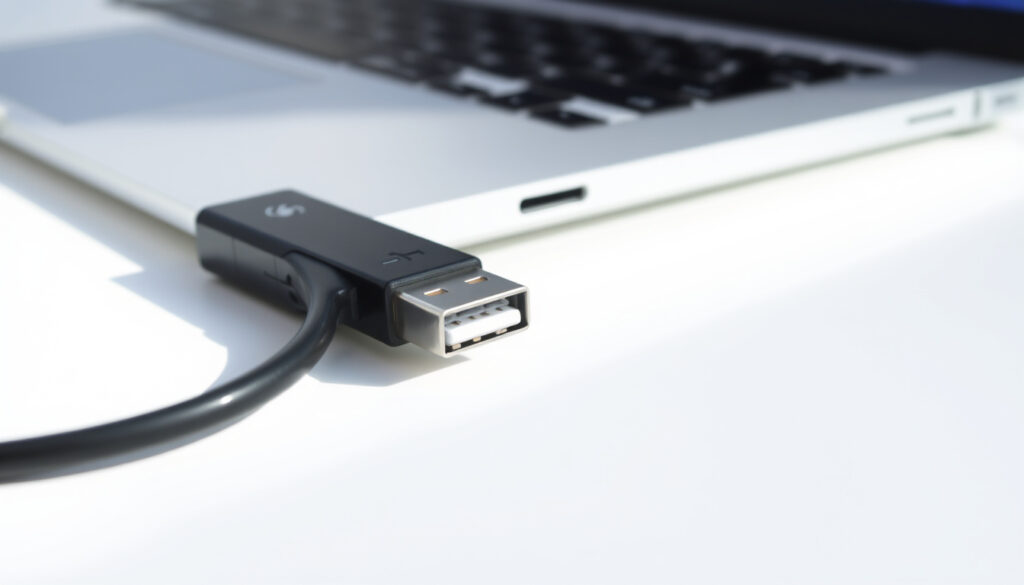
USB to USB-C Adapter: Safety, Compatibility & Buying Guide
You’ve got a shiny new laptop with only USB-C ports, but your desk is full of older USB-A gadgets—connecting them doesn’t have to be a guessing game. This guide walks through what USB to USB‑C adapters actually do, where they fall short, and how to pick one you can trust — without risking your device or your safety.
USB-C devices shipped in 2023: over 3 billion ·
EU mandate deadline for USB-C: December 2024 ·
Max data speed (USB 3.2 Gen 2×2): 20 Gbps
Quick snapshot
- USB‑IF certified adapters are safe for charging and data transfer (USB Implementers Forum (certification body))
- Apple sells a USB‑C to USB Adapter for €25.00 (Apple (official store))
- EU mandates USB‑C for small electronics by December 2024 (European Commission (regulator))
- Exact failure rate of non‑certified adapters on the market (EcoFlow (consumer electronics brand))
- Whether all future laptops will remove USB‑A ports completely (EcoFlow (consumer electronics brand))
- Long‑term reliability of unbranded third‑party adapters (EcoFlow (consumer electronics brand))
- Whether all adapters support 240W power delivery (EcoFlow (consumer electronics brand))
- 2014: USB‑C connector specification released (USB Implementers Forum (standards organization))
- 2022: EU agrees on common charger directive (USB Implementers Forum (standards organization))
- December 2024: EU mandate deadline for USB‑C (European Commission (regulator))
- More devices will ship with USB‑C only; adapters remain essential for legacy peripherals
- Expect stricter certification enforcement in Europe
The table below summarizes the key specifications that matter when choosing an adapter.
| Attribute | Value |
|---|---|
| Common use | Connecting a USB‑A flash drive to a USB‑C laptop |
| Maximum data speed (USB 2.0) | 480 Mbps |
| Maximum data speed (USB 3.0) | 5 Gbps |
| Maximum power delivery (PD) | Up to 240W for certified adapters |
| Apple’s adapter price | €25.00 |
| EU mandate effective date | December 2024 |
Is it okay to use a USB to USB‑C adapter?
When is a USB to USB‑C adapter safe to use?
- Adapters that are USB‑IF certified are safe for charging and data transfer (USB Implementers Forum (certification body)).
- Apple’s USB‑C to USB Adapter is a certified option (Apple (official store)).
- Brands like Anker, Belkin, and UGREEN are consistently recommended for their build quality and adherence to USB‑C standards (Alibaba Blog (e‑commerce marketplace)).
What are the risks of using a USB to USB‑C adapter?
- Non‑certified adapters may cause damage to devices or fire risk (EcoFlow (consumer electronics brand)).
- Simple plug couplers with the same connector on both sides (gender changers) violate USB safety standards and can create dangerous situations (EcoFlow (consumer electronics brand)).
- Connecting two computers with a gender changer adapter could cause both to try to send power simultaneously, potentially shorting out motherboards (EcoFlow (consumer electronics brand)).
A few extra dollars for a certified adapter eliminates a real risk of overheating or component damage. Cheap uncertified options save money upfront but can cost far more in repairs.
The pattern: safety hinges entirely on whether the adapter carries a recognized certification mark. Without it, you’re gambling on electrical protection and fire resistance that may not exist.
Can you convert a USB to a USB‑C?
What types of USB to USB‑C adapters exist?
- A USB‑A to USB‑C adapter allows connecting older USB‑A accessories to a USB‑C port (Tata Neu (online retail)).
- Manhattan sells a two‑pack of USB‑A to USB‑C and USB‑C to USB‑A adapters.
- Adaptors support data transfer speeds up to 480 Mb/s for USB 2.0 devices (EcoFlow (consumer electronics brand)).
- Some adapters support power delivery (PD) for charging, others do not.
How do I choose the right adapter for my device?
- A higher‑rated USB adapter cable will still work on an older, slower port, but not vice‑versa (EcoFlow (consumer electronics brand)).
- Check for USB‑IF certification or safety marks like UL or CE (EcoFlow (consumer electronics brand)).
- If you need fast charging, confirm the adapter explicitly supports Power Delivery (PD) at the wattage you need.
You can plug a USB‑C charger into a USB‑A port using an adapter, but you won’t get any of USB‑C’s speed or power benefits — the bottleneck is always the older USB‑A port.
The implication: converting USB‑A to USB‑C is straightforward for data and basic charging, but don’t expect super‑fast charging or video output through a simple adapter.
Is there such a thing as USB to USB‑C?
What does a USB to USB‑C adapter look like?
- USB‑A to USB‑C adapters exist in male‑to‑female and female‑to‑male configurations (Tata Neu (online retail)).
- They are small, often dongle‑shaped, with a USB‑A plug on one end and a USB‑C receptacle (or plug) on the other.
What devices commonly need this adapter?
- Used to connect older USB‑A peripherals (keyboards, mice, flash drives) to modern USB‑C laptops (Tata Neu (online retail)).
- Some adapters are designed for charging only, others for data — check the product description.
The pattern: the adapter is a purely physical bridge. It doesn’t convert protocols — it simply mates the different shaped connectors.
Can I charge my iPhone with USB‑C?
Which iPhones support USB‑C charging?
- iPhone 15 and later models use USB‑C for charging (Apple (official product page)).
- Older iPhones use Lightning and cannot charge via USB‑C without an adapter.
What charger do I need for USB‑C iPhone charging?
- Apple’s USB‑C to USB Adapter does not support charging from USB‑A to iPhone; it’s for data only (Apple (official store)).
- A USB‑C to Lightning cable works for charging older iPhones — that’s a different kind of adapter.
Many third‑party USB‑A to USB‑C adapters are data‑only. If you plug an iPhone 15 into a USB‑A port via a simple adapter, it may not charge at all unless the adapter explicitly supports USB‑C Power Delivery.
The trade‑off: if you own an iPhone 15 or newer, a USB‑A to USB‑C adapter can charge your phone, but only if it’s PD‑enabled. For Lightning iPhones, you need a different cable entirely.
Is USB being phased out for USB‑C?
What is the EU mandate regarding USB‑C?
- The European Union has mandated USB‑C as the common charging standard for small electronics by December 2024 (European Commission (regulator)).
Are all new devices switching to USB‑C?
- Major manufacturers like Apple are transitioning to USB‑C (Apple (official product page)).
- USB‑A ports still exist on many computers and accessories, but adoption of USB‑C is increasing (Tata Neu (online retail)).
The implication: USB‑A isn’t disappearing overnight, but the trend is clear — within a few years, most new devices will ship with USB‑C only. Adapters will remain necessary for legacy gear.
Upsides and downsides of USB to USB‑C adapters
Upsides
- Extends the life of older USB‑A peripherals on modern computers
- Inexpensive way to bridge connector generations
- Certified models offer safe data transfer and moderate charging
Downsides
- Speed is limited by the older USB‑A standard (max 5 Gbps for USB 3.0)
- Non‑certified adapters pose fire and damage risks
- Many adapters do not support Power Delivery for fast charging
The pattern: certified adapters offer clear benefits while uncertified ones introduce risk.
How to choose the right USB to USB‑C adapter: a step‑by‑step guide
- Identify your use case: data transfer, charging, or both?
- Check the USB version of your USB‑A device (USB 2.0, 3.0, 3.1) — the adapter will work but at the slower speed.
- Look for certification: USB‑IF logo, UL, or CE marks (EcoFlow (consumer electronics brand)).
- Select a reputable brand: Anker, Belkin, UGREEN, or Apple (Alibaba Blog (e‑commerce marketplace)).
- Verify power delivery support if you need to charge.
- Avoid gender changers (same connector on both ends) — they are unsafe (EcoFlow (consumer electronics brand)).
- Read reviews for real‑world reliability data.
Following these steps ensures you get an adapter that is both safe and functional.
What’s confirmed
- USB‑IF certified adapters are safe for charging and data transfer (USB Implementers Forum (certification body))
- Apple sells a USB‑C to USB Adapter for €25 (Apple (official store))
- EU mandates USB‑C for small electronics by December 2024 (European Commission (regulator))
What’s unclear
- Exact failure rate of non‑certified adapters
- Whether all laptops will eventually drop USB‑A
- Long‑term reliability of unbranded third‑party adapters
- Whether all adapters support 240W power delivery
What users and experts say
USB‑IF certification ensures that adapters meet strict safety and interoperability standards. Buying certified products eliminates the guesswork.
USB Implementers Forum (standards organization)
The common charger directive will make USB‑C the default for all small electronic devices, reducing e‑waste and simplifying life for consumers.
We designed the USB‑C to USB Adapter for data transfer only. It does not support charging from USB‑A to USB‑C.
I’ve used cheap no‑name adapters and one melted inside my laptop. Spend the extra $5 on a known brand.
The consequence is clear: for the typical laptop owner in the U.S. or Europe, spending $10–15 on a USB‑IF certified adapter from a known brand is the only safe path. Cheaper, uncertified alternatives introduce real risk of device damage or fire for marginal savings. Choose certified, or don’t choose at all.
Frequently asked questions
Can I use a USB to USB‑C adapter to charge my laptop?
Only if the adapter supports Power Delivery at your laptop’s wattage. Most simple adapters are data‑only. Check the specifications.
Are all USB to USB‑C adapters the same?
No. They vary by USB generation (2.0 vs 3.0), power delivery support, build quality, and certification. Always buy from a reputable brand.
Will a USB to USB‑C adapter work with my iPhone?
If you have an iPhone 15 or later, a PD‑enabled adapter can charge it. Older iPhone models require a USB‑C to Lightning cable, not an adapter.
How do I know if a USB to USB‑C adapter is safe?
Look for USB‑IF certification, UL or CE marks, and buy from known brands like Anker, Belkin, or Apple (EcoFlow (consumer electronics brand)).
Can I transfer data with a USB to USB‑C adapter?
Yes, data transfer works up to the speed of the slower USB standard (e.g., 480 Mbps for USB 2.0, 5 Gbps for USB 3.0).
What is the price range for a USB to USB‑C adapter?
From about $5 for basic no‑name models to $25 for Apple’s certified adapter. Expect to pay $10–15 for a good certified option.
More related posts
 Is Bad Bunny Gay? His Words on Sexuality and Fluidity
 Super Bowl Start Time – Kickoff, Channel, Schedule & Location
 Ori and the Will of the Wisps – Playtime Platforms and Full Guide
 How Many Grams in a Teaspoon? Complete Conversion Guide
 Phone Store Near Me: Ireland Tesco Currys Harvey Norman Guide
 26 Weeks in Months – Precise Conversion and Pregnancy Insights
 USD to CAD Exchange Rate by Date – Historical Data and Trends
